Kajabi vs Squarespace: Which Platform Fits Your Website, Marketing, and Selling Goals?
The choice between Kajabi and Squarespace mostly comes down to what you’re selling: choose Kajabi if your business is built around online courses, coaching, memberships, and other digital products with built-in funnels and email automation, and choose Squarespace if you primarily need a design-forward website (portfolio, blog, service site, or store) that’s easy to launch and manage. Kajabi includes a course builder plus advanced marketing features like automation and list segmentation, but it generally costs more (starting at $143/month). Squarespace starts lower (from $16/month) and is often more beginner-friendly, though you may pay extra for certain integrations.
- 🎯 Target Audience: Choose Kajabi for selling digital products like courses and memberships, and Squarespace for creating design-focused websites for portfolios, blogs, or stores.
- 💼 Platform Features: Kajabi offers comprehensive marketing tools and automation for digital sales, while Squarespace provides user-friendly design templates for general website management.
- 💰 Pricing Considerations: Kajabi's higher cost reflects its all-in-one digital sales capabilities, whereas Squarespace's lower price suits those needing a basic website with optional integrations.
- 🔧 Ease of Use: Squarespace is more beginner-friendly with its intuitive design tools, while Kajabi requires more setup but offers greater functionality for digital product delivery.
- 🚀 Business Fit: Align your choice with your primary business model: Kajabi for content and program sales, Squarespace for visually appealing content and service presentation.
Kajabi vs Squarespace: Core Platform Differences
Kajabi is a digital product business platform built for courses, coaching, and memberships, while Squarespace is a general-purpose website builder known for beautiful templates and straightforward site management.
At a high level, Kajabi and Squarespace both let you publish a professional site, but they’re optimized for different outcomes. Kajabi is designed for coaches, instructors, and experts who need to package content, sell access, and nurture leads with automated marketing.
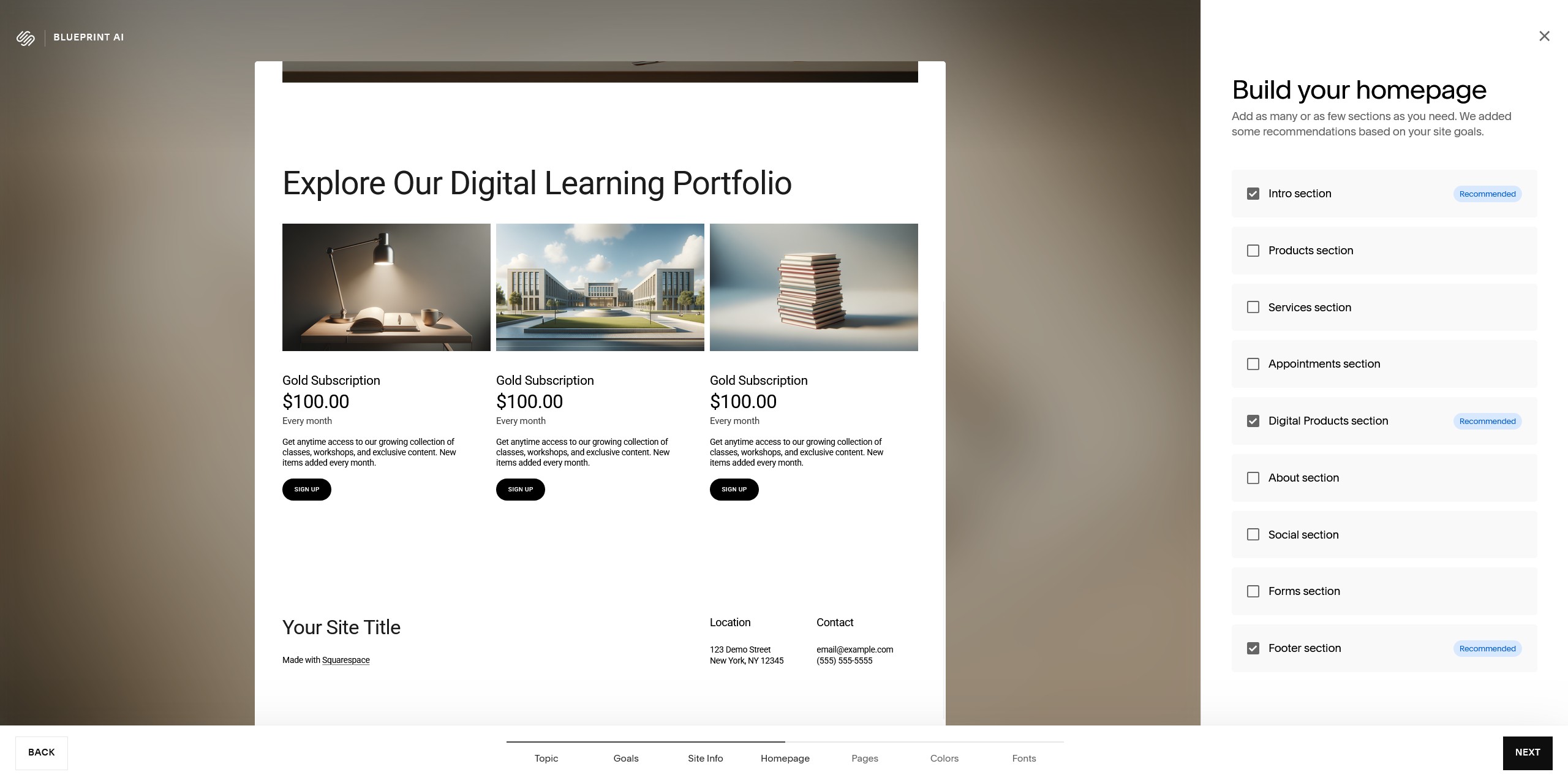
Squarespace is built for broad use cases—portfolios, service businesses, blogs, and ecommerce stores—and its biggest strength is design flexibility through polished templates and intuitive editing. Squarespace does offer marketing and selling features, but they’re typically geared toward general website promotion rather than a course-first business model.
As a quick mental model: Kajabi is “sell and deliver digital programs,” and Squarespace is “build a great-looking site and manage content (and optionally sell).” With that context, the comparisons below focus on the practical differences you’ll feel day to day.
How do Kajabi and Squarespace compare as platforms?
Kajabi is an all-in-one system for building, marketing, and delivering digital products, while Squarespace is a versatile, design-centric platform for managing almost any kind of website.
In a platform comparison, the most useful question is what you want the platform to own for you. Kajabi aims to keep your website, landing pages, email marketing, funnels, and product delivery under one roof—especially for online courses, coaching programs, and membership sites.
Squarespace emphasizes fast creation of visually strong websites with a broad template ecosystem and built-in tools for pages, blogging, and commerce. It’s widely used for general website management because the editing experience is approachable and the design system is cohesive.
Website Builders and Landing Page Design
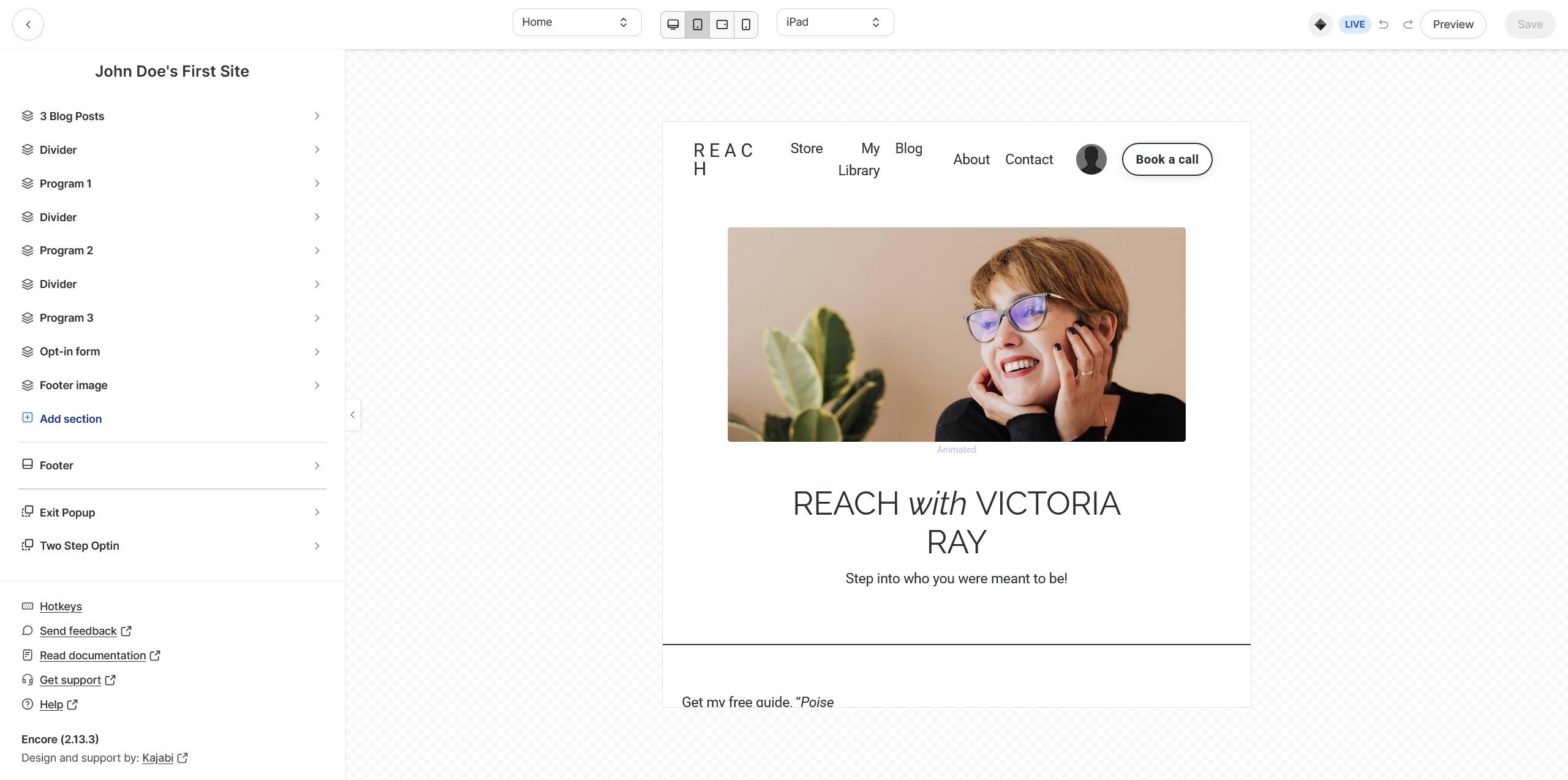
Kajabi’s website builder is tightly aligned with conversion and delivery: you can create landing pages, connect them into a funnel system, and route visitors toward an opt-in or purchase that unlocks course or membership content. It also supports consistent branding across pages, products, and customer touchpoints using a centralized brand setup.
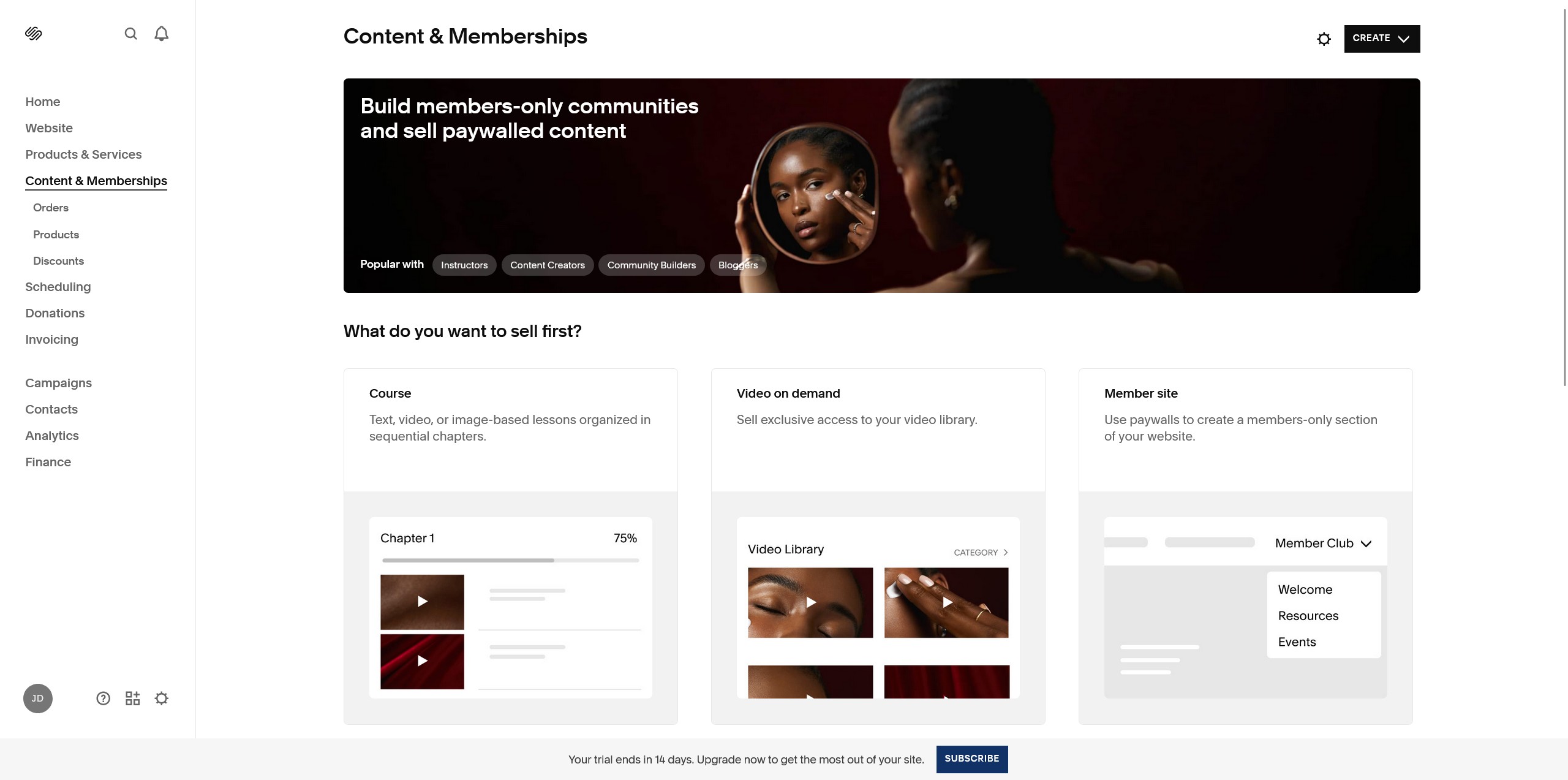
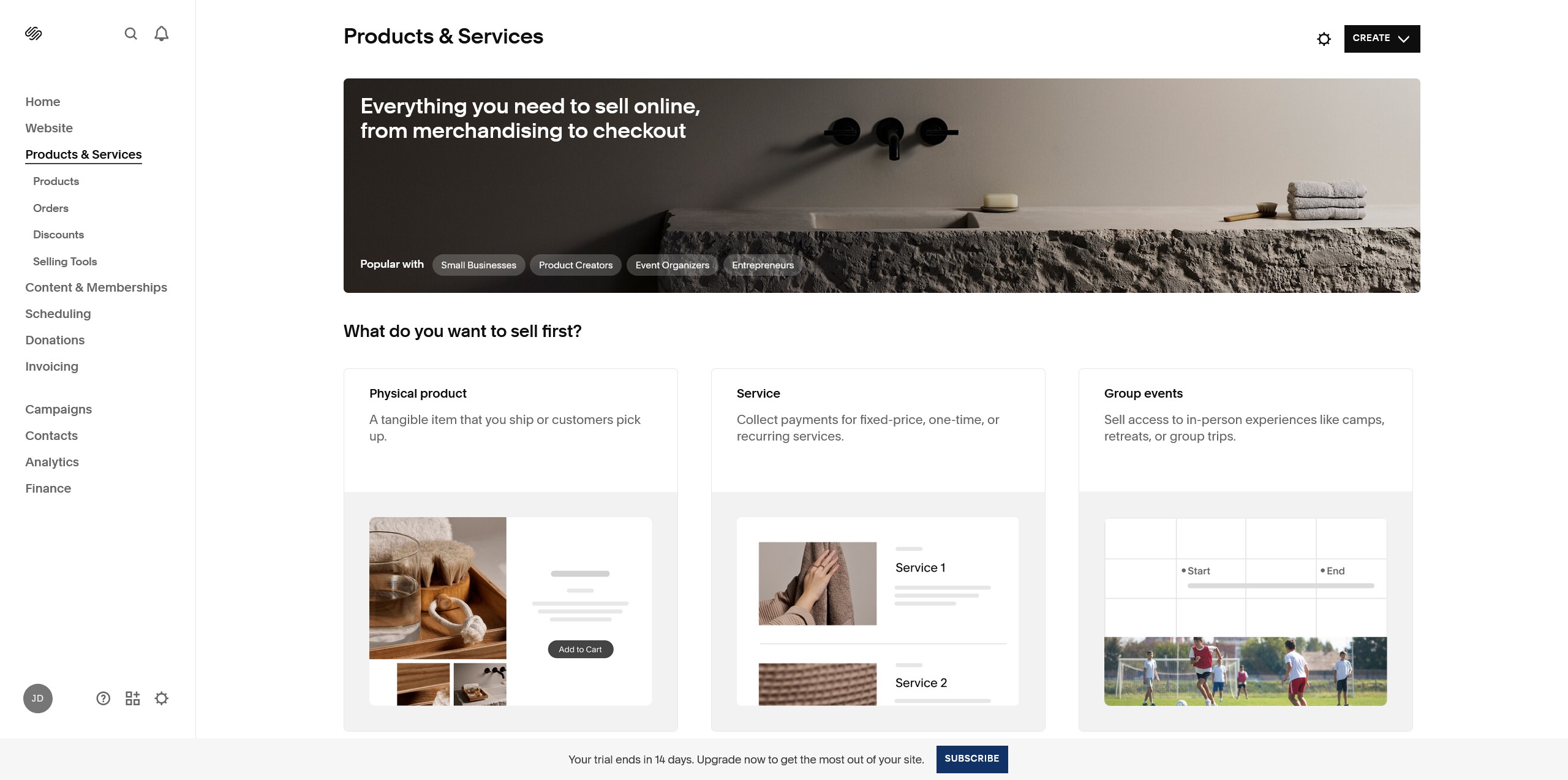
Squarespace focuses on flexible layouts and strong visual presentation. While traditionally a general website builder, it now offers Squarespace Courses and Member Areas as premium add-ons. This allows you to build structured curriculum and gated video lessons directly within your site, though it lacks the advanced student analytics and native video hosting bandwidth found in Kajabi.
Marketing Tools, Funnels, and SEO Features
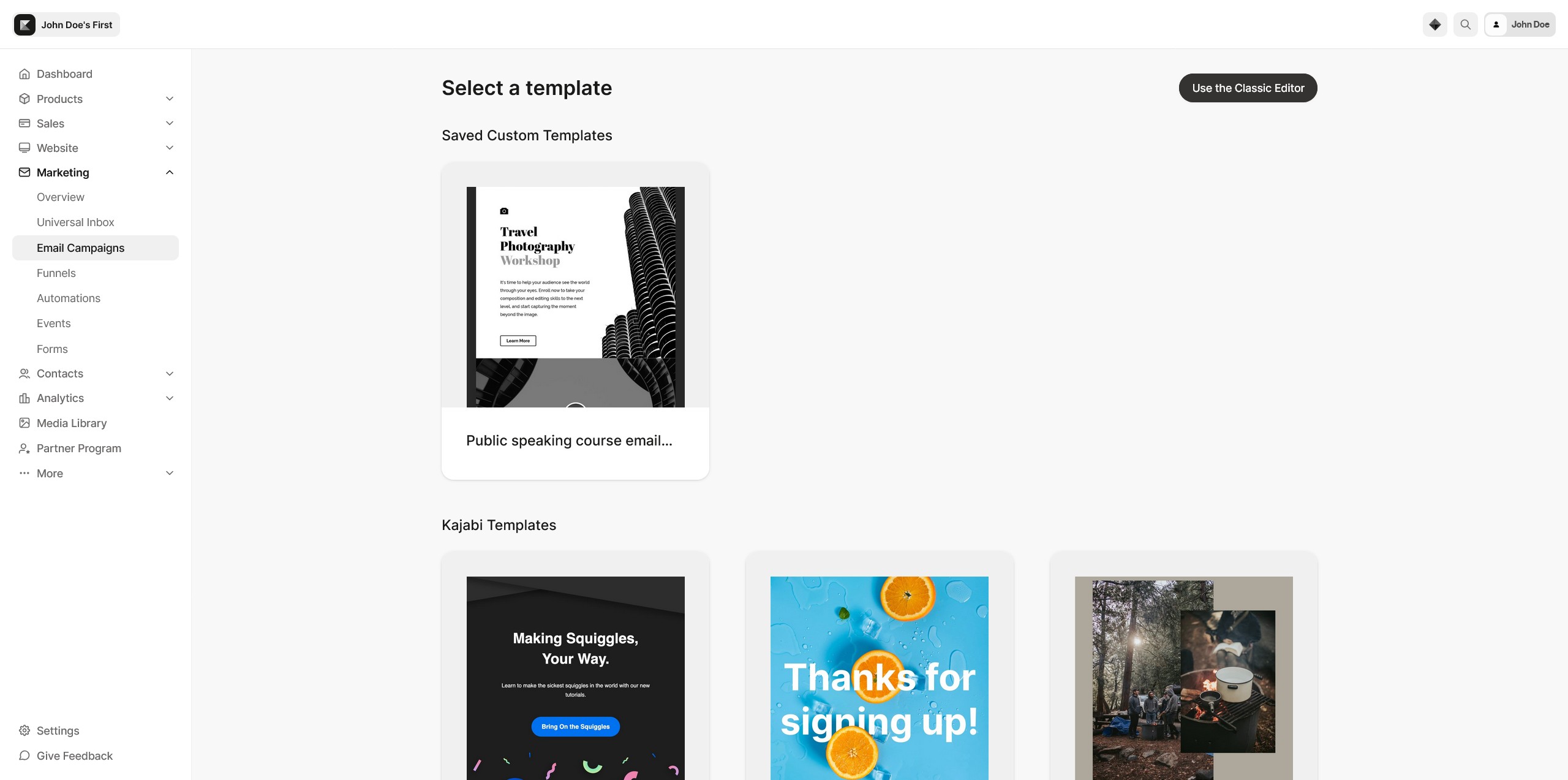
Kajabi is typically stronger for marketing workflows that directly drive digital product sales. It includes automated email marketing, list segmentation, and a built-in funnel builder — so you can move users from visitor to lead to buyer without stitching together multiple tools.
Squarespace includes solid SEO and general marketing tools and can support email automation, but it has more limited segmentation and lacks a dedicated funnel builder, meaning you’ll often create sequences and paths more manually (or rely on integrations). For many businesses that’s fine; for funnel-heavy course marketing, it can be a constraint.
If your growth plan relies on campaign-style launches, lead magnets, and multi-step conversion paths, Kajabi’s marketing stack is usually the cleaner fit. If your growth plan is SEO + content + a simple newsletter and store, Squarespace is often sufficient.
How do their CMS and user satisfaction ratings differ?
Kajabi’s CMS is purpose-built for structuring and delivering digital content—modules, lessons, gated access, memberships, and offers—so satisfaction is typically highest among course creators and coaches who want those workflows baked in. It also supports selling and delivery from the same admin, which reduces tool switching.
Squarespace’s CMS is widely praised for general website management: editing pages, managing a blog, publishing media-rich content, and maintaining a consistent site style. That broad usability is why it appeals to a wider audience, especially beginners and small businesses that don’t need a course-first back end.
| Area | Kajabi | Squarespace |
|---|---|---|
| Core CMS strength | Courses, coaching, memberships, digital product delivery | General pages, blog publishing, portfolios, stores |
| Best-fit users | Creators who sell structured programs and subscriptions | Businesses needing a polished website with broad flexibility |
| Typical learning curve | Steeper (more features and workflows) | Lower (beginner-friendly editing) |
How does the pricing of Kajabi compare to Squarespace?
Kajabi generally costs more because it bundles course delivery and advanced marketing (from $143/month up to $499/month), while Squarespace is priced for general websites (from $16/month up to $52/month) but may add costs through integrations.
Pricing is often the deciding factor after feature fit. Kajabi’s tiers reflect that you’re paying for a platform intended to replace multiple tools (email marketing, funnel building, course hosting, and community/membership components) rather than just hosting a site.
Squarespace’s plans are more affordable for typical site needs, including content publishing and ecommerce. Where budgets can creep up is when you need additional third-party integrations to match the all-in-one marketing depth that Kajabi includes natively.
Tiered Plans and Premium Add-ons
Kajabi offers tiered plans that center around selling and delivering digital products, with premium features such as a course builder and advanced marketing tools. It’s common for growing creators to move up tiers as they add products, scale lists, and run more sophisticated campaigns.
Squarespace also uses tiered pricing, but premium features are typically tied to design capabilities and ecommerce functions—useful for stores, bookings, and polished brand presentation.
How do their revenue models and payment processing options differ?
Kajabi’s model is primarily subscription-based for the platform itself, with integrated payment processing options designed around selling digital products, programs, and subscriptions. A notable advantage for many creators is that Kajabi is known for having no extra transaction fees at the platform level (beyond standard payment processor fees).
Squarespace supports payment processing for ecommerce and is well-suited to selling physical products as well as digital items. For some businesses, the bigger factor is operational: Squarespace can require more add-ons to match Kajabi-style launch marketing, while Kajabi can be overkill if you’re running a straightforward store or service site.
Which platform suits your business needs best?
Pick Kajabi if your revenue depends on selling and delivering courses, coaching, or memberships with built-in funnels and email automation; pick Squarespace if you want an easy-to-manage, design-forward website for content, services, or ecommerce.
The best choice is the one that reduces the number of tools you need while matching how you sell. Kajabi tends to win when marketing + checkout + gated content delivery is your core workflow. Squarespace tends to win when look great + publish content + run a store or service business is your core workflow.
To make the decision concrete, map your needs to the platform’s strengths before you think about templates or minor features.
How should you evaluate your business needs and future plans?
Start with what you sell today, then factor in what you plan to sell 6–18 months from now. A platform that fits now but blocks your next step (subscriptions, automation, segmentation, scalable product delivery) can become expensive to change later.
Once you’re clear on the workflow, it becomes easier to judge whether Kajabi’s higher monthly cost replaces enough external tools to justify it, or whether Squarespace’s lower starting price is the better operational fit.
Which platform offers better ease of use and responsive design?
Squarespace is frequently considered more beginner-friendly because its interface and template system are designed to help you build a visually cohesive site with minimal setup. It’s particularly well known for attractive, responsive templates that look polished on mobile without much tweaking.
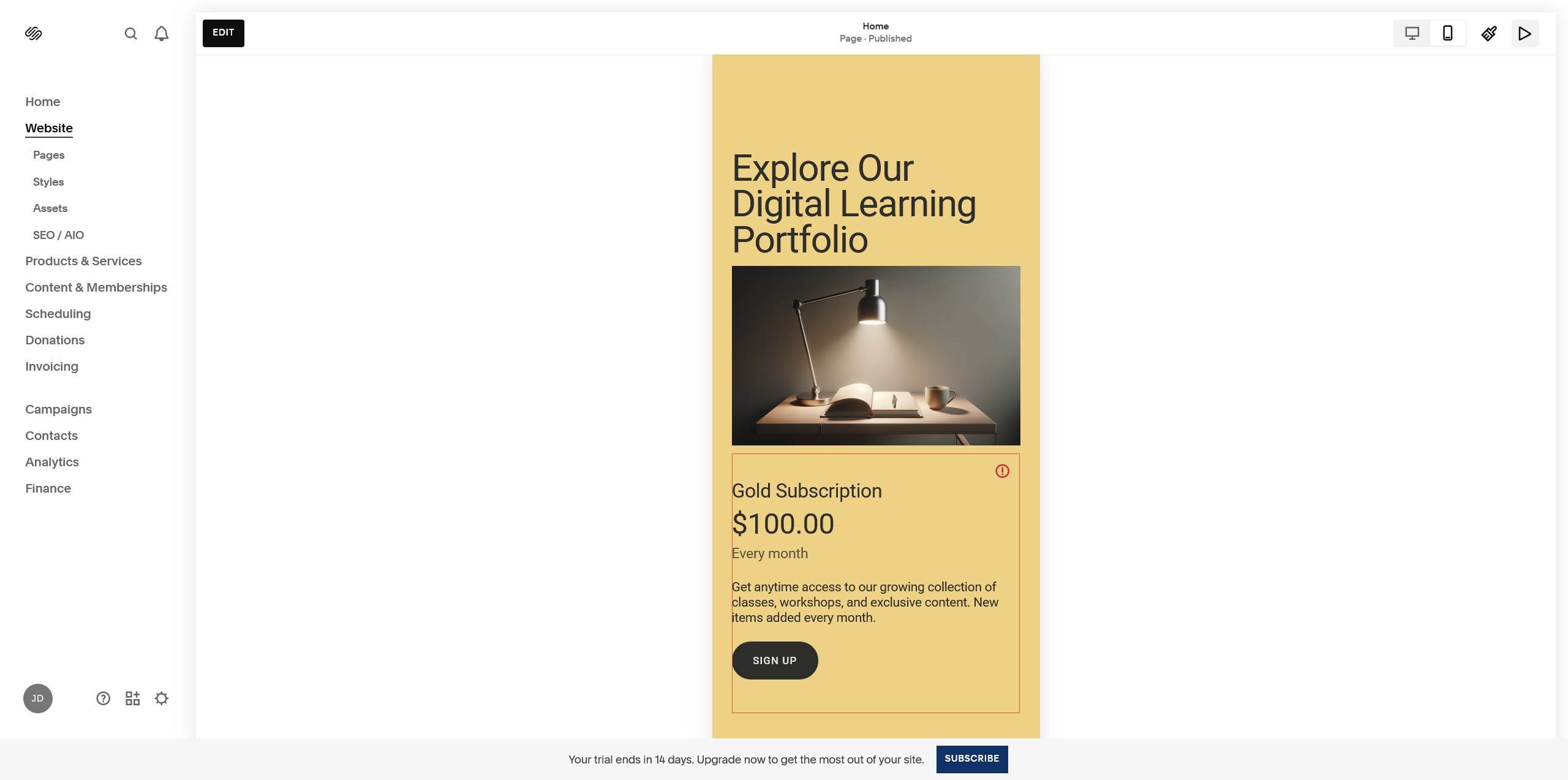
Kajabi also supports responsive design and includes customizable templates for pages, emails, and course portals, but it can feel more complex because you’re configuring marketing and product-delivery systems, not just pages. That extra power can be worth it if you’ll actually use funnels, automation, and digital product delivery.
| If you prioritize… | Better default fit | Why |
|---|---|---|
| Launching a course or membership with automated marketing | Kajabi | Built-in course builder, email automation, list segmentation, and funnel builder |
| Design-first website for portfolio/services/blog | Squarespace | Highly polished templates and a beginner-friendly editing experience |
| Simple ecommerce site without heavy funnel marketing | Squarespace | Commerce-focused plans and broad website flexibility |
| Reducing reliance on third-party marketing tools | Kajabi | All-in-one stack reduces the need for separate funnel/email platforms |
If you’re still torn, the cleanest tie-breaker is to pick the platform aligned with your primary revenue engine: Kajabi for selling access to content and programs, Squarespace for showcasing and selling through a visually compelling website.
Frequently Asked Questions
What are the downsides of using Squarespace?
Squarespace can feel limiting if you need advanced, funnel-style marketing because it doesn’t include a dedicated funnel builder and has more basic segmentation. As your needs grow, you may end up relying on paid integrations to match the kind of automated workflows a course-first business often needs.
Is Squarespace good for selling digital products like Kajabi?
Squarespace can sell digital products, but it’s better suited to straightforward sales rather than complex program delivery. If you need structured course experiences, gated lessons, and built-in marketing automation tied to those products, Kajabi is typically the smoother fit.
Can Squarespace handle memberships and communities like Kajabi?
Squarespace can support membership-style access, but it generally isn’t as purpose-built for memberships and community workflows as Kajabi. If memberships are central to your business model, expect more setup and potential add-ons on Squarespace compared to Kajabi’s integrated approach.
Is Kajabi worth the higher price compared to Squarespace?
Kajabi is often worth it when its built-in email automation, segmentation, funnels, and digital product delivery replace multiple separate tools you’d otherwise pay for. If you mainly need a beautiful website, blog, or simple store without heavy launch marketing, Squarespace usually delivers better value.
What are the pros and cons of using Kajabi?
Kajabi’s biggest advantage is having course/membership delivery and marketing automation in one system, which can simplify operations for creators. The trade-off is cost and complexity—if you won’t use funnels, automation, and structured program delivery, it may feel like more platform than you need.
Free Quiz: What's holding back your business growth?
Take this short quiz and discover your #1 growth blocker - so you know exactly where to focus next: